

Support
Mow Empire: Lawn Tycoon
Version 1.0 for iPhone · requires iOS 18 or later
Get in touch
Email [email protected] and include your iPhone model and iOS version. We answer within a few days.
How to play
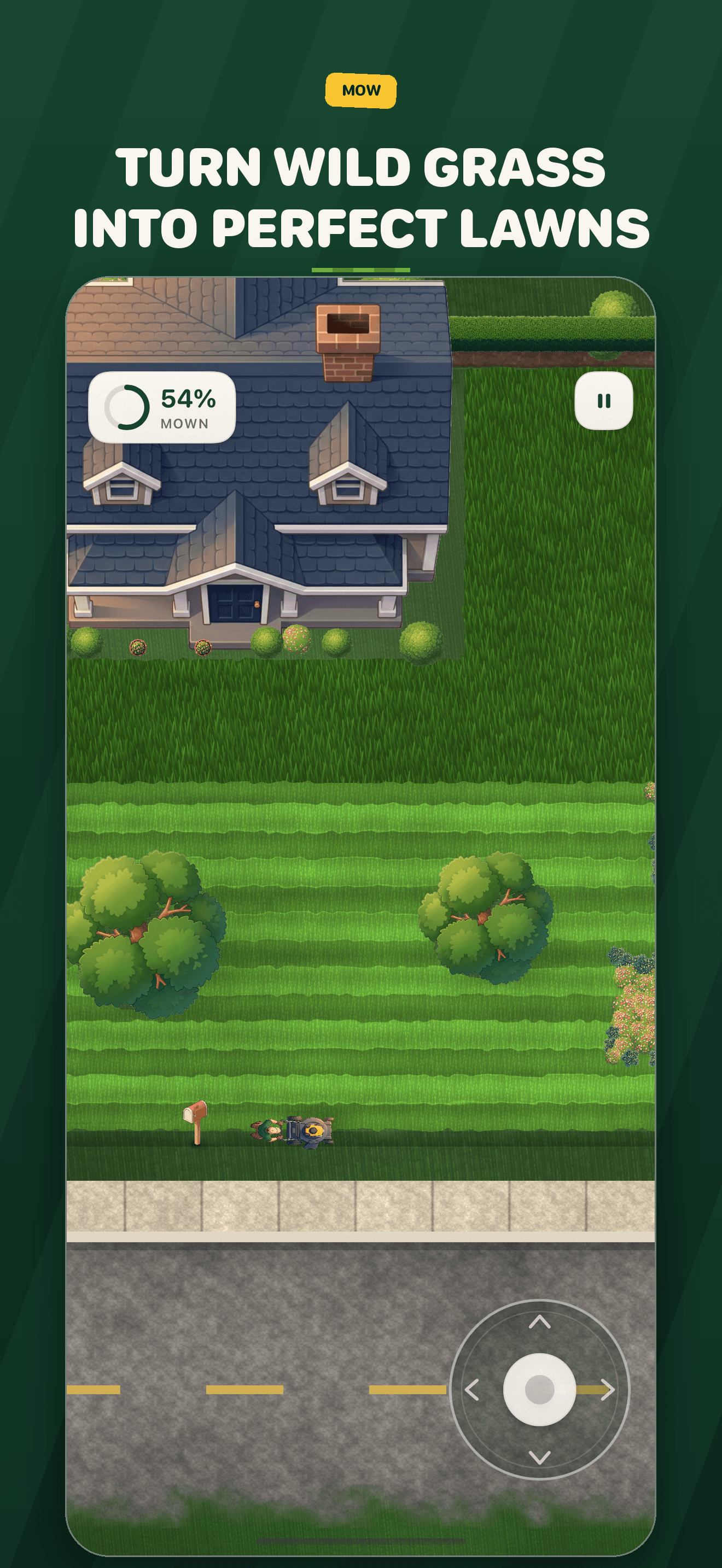
Driving the mower
Push the steering pad in the bottom-right corner in the direction you want to go. A small push crawls along an edge; a full push is top speed. Push straight back to reverse. Prefer to steer with your finger on the grass? Pause → Settings → Controls → Drag to guide.
Finishing a lawn
A lawn is done at 98% coverage. Stand still and the job finishes itself; keep mowing for a tidier cut and a bigger tip. There is no time limit, and you can leave a lawn at any time — your progress on it is kept.
Growing the business
Earn cash and XP, buy better machines in the Yard, take calls on the phone, run advertising campaigns to bring in more customers, and unlock new towns as your business grows. Later, a crew van can handle routine lawns while you take the best jobs.
Purchases
Mow Empire is free. The optional packs of in-game cash and XP are consumable: they are added to your business once and used up as you spend them. The game is complete without them. Purchases are processed through Apple's App Store.
I bought a pack and did not receive it
Make sure you are online, then reopen the app; Apple re-delivers completed purchases and the game applies each one exactly once. If the balance still has not changed, request a refund from Apple at reportaproblem.apple.com and tell us so we can look into it.
Restoring purchases on a new phone
Consumables cannot be re-granted to a new device. Your whole business, including anything you bought and spent, comes across when you restore your new iPhone from a backup of the old one.
Refunds
All refunds are handled by Apple: Request a refund for apps or content that you bought from Apple.
Saving and progress
Progress saves automatically on your iPhone — after every job, every purchase, and while you are part-way through a lawn. It is included in your iPhone backup. There is no account and no cloud save; deleting the app deletes the business with it.
Troubleshooting
- No sound. Check the Ring/Silent switch and the volume; then Pause → Settings → Sound. Sound resumes after a phone call or a change of headphones on its own.
- No vibration. Pause → Settings → Haptics. Haptics also follow the system Settings → Sounds & Haptics setting.
- The phone gets warm on long sessions. Mowing large estates is graphically heavy. Pause → Settings → Visuals → Fewer particles helps; so does a break.
- Something looks wrong or the game stopped. Force-quit and reopen; your lawn is where you left it. If it happens again, email us with what you were doing.
Privacy
Mow Empire collects no data at all. Read the privacy policy.